This guide explains the administrator roles (Owner, Senior admin, and Junior admin) and the detailed permissions for Junior admins in the HADA Dashboard.
An administrator is an account that can manage the settings and dashboard features of a company or organization.
Upon signing up and creating a company, that account becomes the Owner. Administrators invited afterward are categorized as either Senior admin or Junior admin.
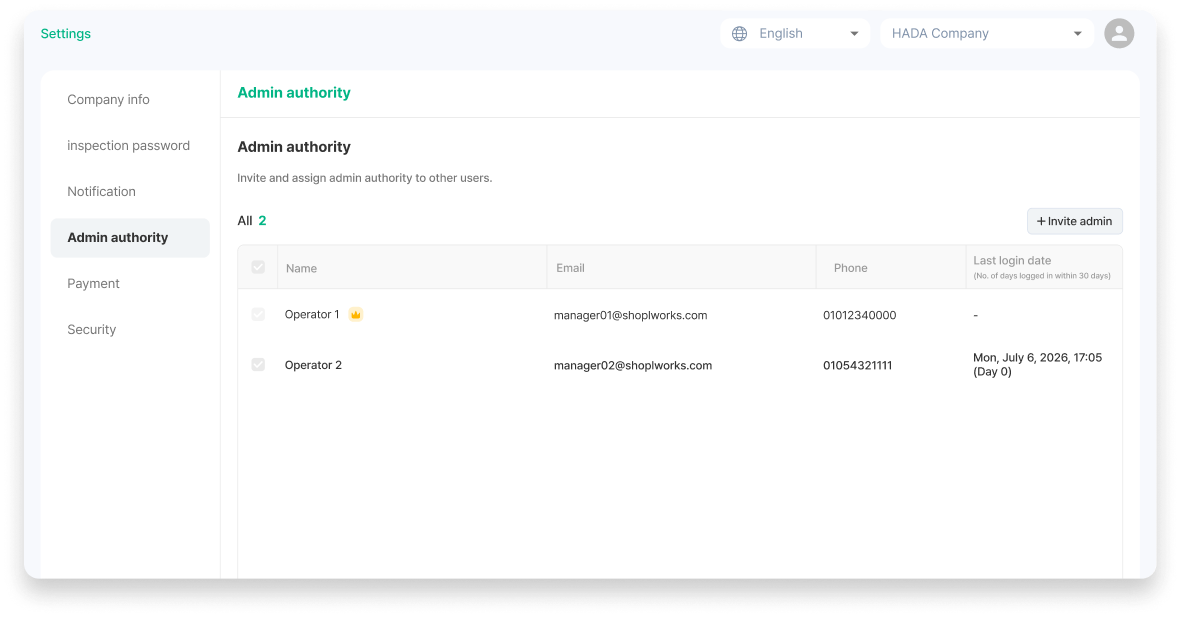
Administrators can manage invitations and permissions by navigating to Settings > Administrator Permissions.
Owner: All features + can delete the company + can delegate ownership.
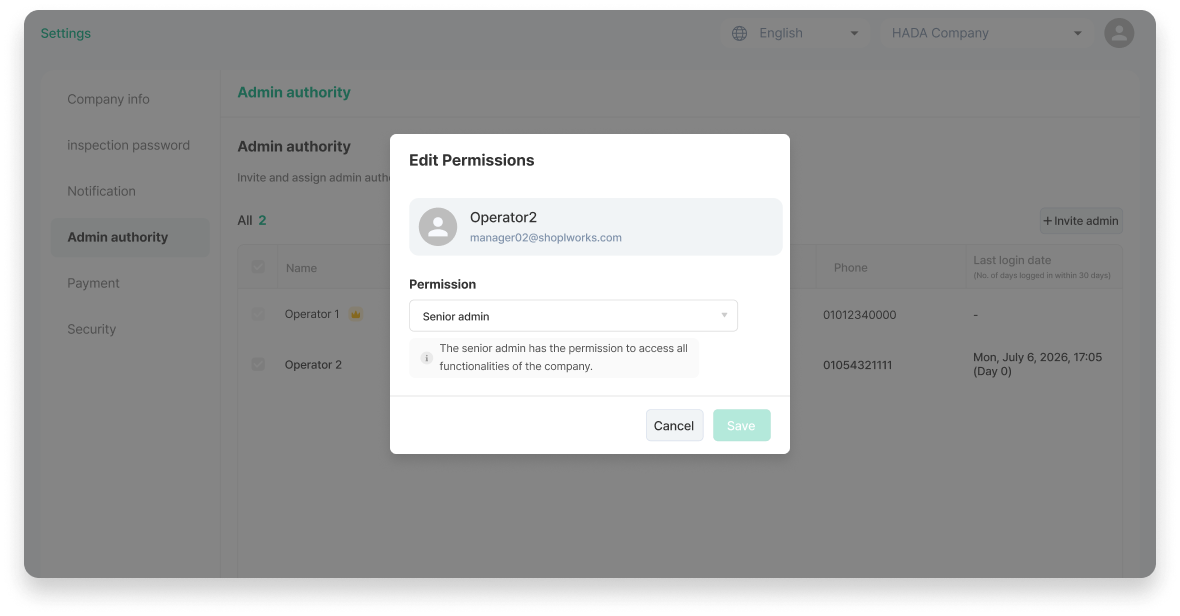
Senior admin: Can use all features (cannot delete the company).
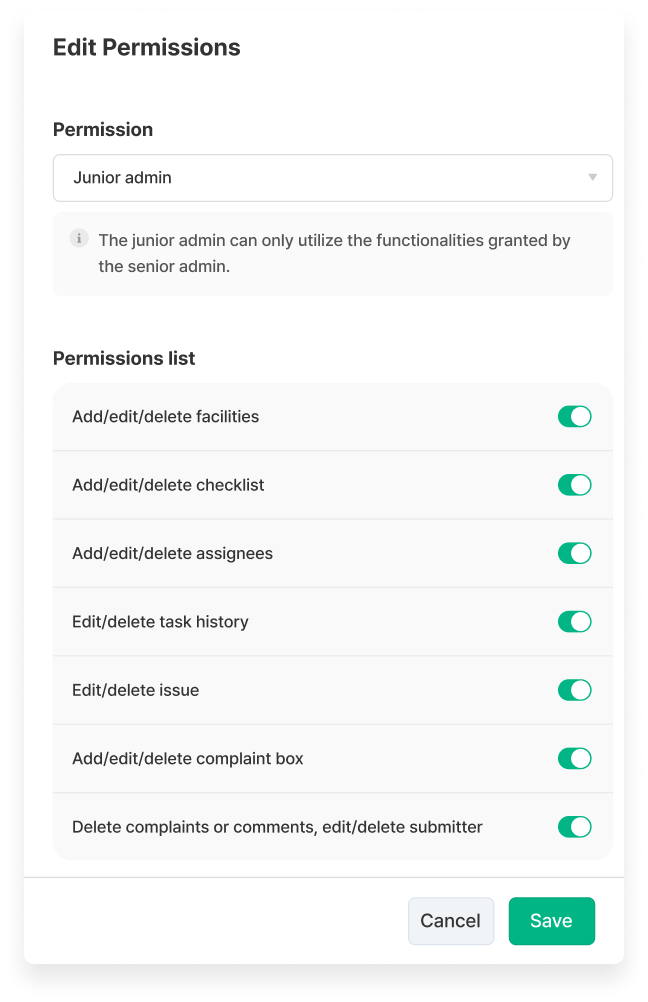
Junior admin: Can only use permitted features; detailed permissions are granted via toggle switches.
1. Owner
The account that holds ownership rights to the company.
Can use all features of the HADA dashboard.
Company deletion is possible.
Can change other administrators' roles to Owner / Senior admin / Junior admin.
Can delegate Owner permissions to another member. Upon delegation, the previous Owner account is automatically changed to a Senior admin.
💡 Note: The account becomes the Owner immediately upon creating a company. The Owner has an owner indicator displayed next to their name.
2. Senior Admin
Has the authority to use all company features.
Can use all features of the HADA dashboard.
Company deletion is not possible.
Can change other administrators to Senior admin / Junior admin. (Changing a role to Owner or delegating ownership can only be done by the Owner).
💡 Note: You can also select either Senior admin or Junior admin when initially inviting a member.
3. Junior Admin
Can only use the features permitted by the Senior admin (or Owner).
Go to Settings > Administrator Permissions, click the gear icon (Edit Permissions) for the respective admin, select Junior admin as the role, and toggle the permission switches on or off.